Tuesday, July 7, 2015

Sunday, July 5, 2015
Blog Post 11

Back to the future - Brian Crosby
As Mr. Crosby gave his lecture, you can tell his students had moved around a lots. Some kids didn't know their address, phone numbers, or what city they lived in. It's good to get to know who your students are. These students were very disconnected. Mr. Crosby is a teacher full of excitement, with crushing cans and hot air balloons in his project. These type of projects will surly catch the imagination of any kid. He has a classroom full of active learners. He treated a little girl that had lukemia, just like she was one of the other students, she was pictured on a lab top in the video. He really had to take time to do this with his class . Mr. Crosby is a very dedicated teacher, and he wants the schools to be dedicated to them also.
Blended Learning Cycle, In the video the class was turned into a video game. The teacher explains blended as being online, mobile, classroom learning. He also talks about the learning cycle that includes the 5 E's, engage explore, expand, explain, and evaluate. Paul believes in the power of questions. He spells the word Quivers, which is a very good question, it investigates, use videos, elaborates, review and has a summary quiz. If students appear not to know the information, they go back to relearn it. He still believes in the old fashion test taking. He believes in students really explaining what they have learned, and know what they are talking about.
Making Thinking Visible, Mark Church allows students to look at the world, to see and define problems in creative ways. To see how the world influences them, and think about things deeper. As a teacher he wanted to get kids to thinking. He says thinking really make things take off, and help them understand.

Building Comics, Teacher Sam Pane ask students to focus on super digital citizens, creating a digital citizen "Super Hero" using the internet safely, respectful, and responsible. The students created their own character and used their imagination in a situation. This comic strip was all about them, a visual way of learning, and making good choices. They also walked around the classroom to look at each others work to see weather it was safe, respectful, and responsible. This was a great way to allow the students to express their good values in a given situation.
Project Based Learning, A high school classroom where three teachers combine history, english, and information processing, using technology to help bring in project based learning. They ran into road blocks going across the curriculum, but they blended ideas and got feedback from students and made it work. Students began to write poetry, and found themselves going pass the finished project and made it better. This made them appreciate their work better, and they went beyond the curriculum.
Roosevelt Elementary School PBL project, The learning style is very different at this school.
PBL is:
* In depth learning
* Integrated theme instruction
*Based "real-world" problems
*Research based
*Project and presentation
The students in the program think for themselves, and show they understand through what they have learned. The students have public speaking skills at a very young age. They learn by making their own decisions. Students work in groups and independently. In group work they answer to each other, they see what worked and what didn't. The students also used rubrics to reflect on their learning.

Friday, July 3, 2015
C4T#3 comment # 2
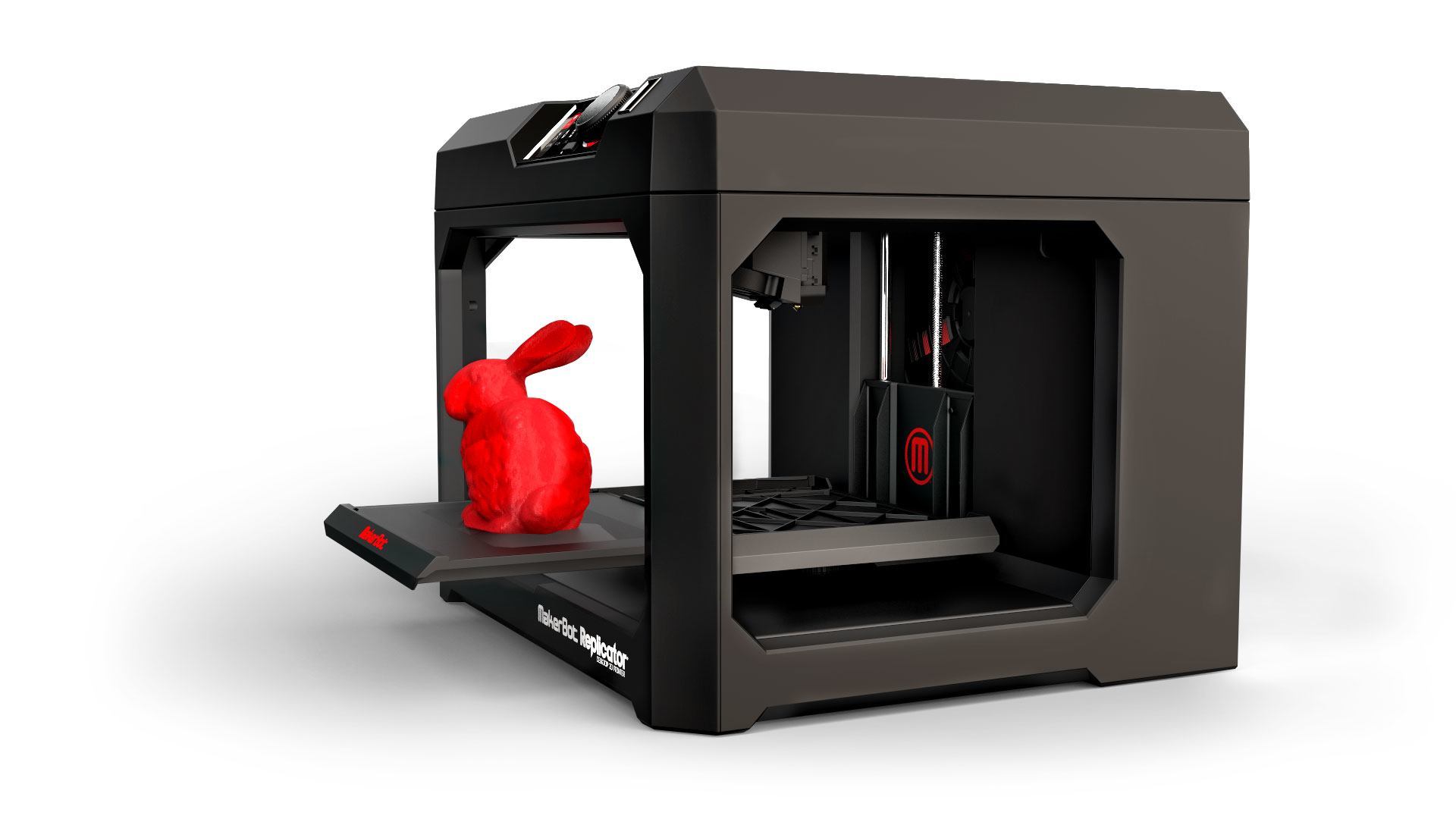
Year one with a 3D printer: 17 tips
A 3D printer is a process of making three dimensional solid objects from a digital file. The creation of a 3D printed object is achieved using additive processes laying down successive layers of material until the entire object is created. You can print robots, math manipulative, and even parts for a 3D printer. Ms. Vicki Davis has seventeen technical tips to follow to keep your 3D printer in working condition.
- Find a video about loading the filament properly
- Make sure the feeder tube is long enough
- Call the manufacturer when you need help don't wait.
- Keep fingers from the inside of printer
- A curiosity cabinet keeps hand fingers away from printer
- Play with the resolution
- Always attend the printer
- Order filament in a variety of colors.
- Combine the smaller parts of a print job
- Organize your printing
- Invest in two nozzles
- Let student work in teams
- Start with pre-made items
- Use boxes to keep work organized
- Let students use software that's comfortable for them
Like any other classroom technology it takes time to master. I really have to be honest, I don't know anything about a 3D printer, but i am willing to learn. anything that will jog a students imagination is worth investing in.
Special Blog Post Assignment

Assessment Is Proof - Faces And Places
Coming from the American Folk art of the 18th and 19th centuries. This art doesn't seem to have a specific title. It seems to have a certain feeling, and elementary students do have a feel for art. I have walked the halls of schools and hospitals an viewed beautiful paintings that students have on display on the walls.The ipad is a Learning Studio.
This small piece of technology can connect you to the world. I am sure that students and teachers love traveling. The ipad can take you to Japan in no time. This is one of the safest ways to travel that I know of, that will provide so many opportunities to learn. The ipad is one of the best hands on learning tools in the classroom..
Active literacy across the curriculum
Every teacher is a language teacher. It is the root of all performance, it can be improved in any learner with on going review of assessment data, language can be developed at any age k-12. It is a direct way to communicate. I wouldn't want a classroom without some type of communication, weather it's through technology or verbal.
Visual Thesaurus
A column for word lovers. When you think about word problems in a math class, there are times when you may have to know how to translate the meanings of different words to know how to solve the problem. Language is everywhere even in numbers.
About Emaze
Emaze is the next generation of online presentation software. The teacher will select free presentation templates to create an visual experience of the students. It is a state of the art HTML5 presentation maker that will create slide shows, video presentations and 3D presentations. These are things, I would love to have in my class to keep my students interested and excited.
Kids Know it Network
This website has a mission to provide the highest quality educational activities to help kids learn. This is a free learning network. What teacher doesn't love the word free. This network has thousands of common core educational worksheets free of charge.
Wednesday, July 1, 2015
Blog Post 10
The kids welcomed us into their classroom. The first graders began by showing off their blogs. They said by communicating with others on their blogs this helped them to become better writers, and to also be kind toward each other, always say nice things to each other. To me this helps with discipline in the classroom, something I would really have a need for. The students used the website by clicking on pictures, to get to the website they wanted to view. Wiki was used to compose a song from the alphabet, and create a video to show what they learned. Skupe is what I really would like to work with in my classroom. This will allow us to reach different people in different places, without leaving our classroom. Nintendo DS is a very good problem solver, and it also taught the students to share. I know sharing can become a problem among first graders.
Mrs. Cassidy put a ray of sunshine on the matter of having and getting better and more technology in our classrooms, now we know that it's not impossible. She received funding from the federal government, she had a technology coordinator at her school to help, and some of the principals may not have been interested but they did not stop her. This is encouraging to me, their is going to be a greater need for technology in the classroom in the days to come. I'm glad to know, that students can also be protected by just using their first names on their blogs. Forms can also be sent home so the parents can sign, to give permission for the different use of technical activities. Mrs. Cassidy also stated that the world is changing, so we must change with it. We must never feel that we shouldn't use technology, because it is everywhere an it is not going away, someone stated. Dr. Strange said in the video, that Twitter has changed his life, after he gave it a try. I am going to use Twitter more, because of the value of learning more. A few of the students asked questions. The first question asked was, how often did she use blogging with her students? She said it depended on the class size. Some of the students would be engaged in spelling, reading or blogging. I really would love for my class to blog, because it is the fastest way to reach other students, while still being in your classroom. Another student asked about cheating on the blog, using another students information. She said that teachers switch classwork often, it's ok to share thoughts and information, because we learn from each other, and everyone will go through a shift. The only problem she had is that students would try to get on non-educational games. The problem I would have is losing the desire to learn more about technology. I am getting better, as I type this blog.
![]()
Mrs. Cassidy put a ray of sunshine on the matter of having and getting better and more technology in our classrooms, now we know that it's not impossible. She received funding from the federal government, she had a technology coordinator at her school to help, and some of the principals may not have been interested but they did not stop her. This is encouraging to me, their is going to be a greater need for technology in the classroom in the days to come. I'm glad to know, that students can also be protected by just using their first names on their blogs. Forms can also be sent home so the parents can sign, to give permission for the different use of technical activities. Mrs. Cassidy also stated that the world is changing, so we must change with it. We must never feel that we shouldn't use technology, because it is everywhere an it is not going away, someone stated. Dr. Strange said in the video, that Twitter has changed his life, after he gave it a try. I am going to use Twitter more, because of the value of learning more. A few of the students asked questions. The first question asked was, how often did she use blogging with her students? She said it depended on the class size. Some of the students would be engaged in spelling, reading or blogging. I really would love for my class to blog, because it is the fastest way to reach other students, while still being in your classroom. Another student asked about cheating on the blog, using another students information. She said that teachers switch classwork often, it's ok to share thoughts and information, because we learn from each other, and everyone will go through a shift. The only problem she had is that students would try to get on non-educational games. The problem I would have is losing the desire to learn more about technology. I am getting better, as I type this blog.

Subscribe to:
Posts (Atom)